As an Amazon Associate, we earn from qualifying purchases. Some links on this site are affiliate links at no extra cost to you. Our recommendations are based on thorough research and editorial judgment.


How to Maintain an Electronic Keyboard for Longevity

Are you an electronic keyboard enthusiast eager to maximize the lifespan of your instrument?
You may be interested



Maintaining an electronic keyboard for longevity isn’t just about passion; it requires attention to detail and proactive care.
In this guide, you’ll uncover essential tips for keeping your keyboard in pristine condition.
From regular cleaning techniques using microfiber cloths and compressed air to safe storage practices, you’ll learn how to protect your keyboard from dust and liquid damage.
We’ll also delve into the importance of annual professional check-ups and keeping your software updated for optimal performance.
Let’s dive in and ensure your musical companion stays in top shape for years to come!
Key Takeaways
- Perform regular cleaning by dusting, using compressed air, and wiping with isopropyl alcohol to remove contaminants and maintain functionality.
- Clean keycaps every 3 to 6 months by popping them off, soaking, scrubbing, rinsing, and air-drying.
- Protect the keyboard from moisture and dust by keeping drinks away and using a cover when not in use.
- Store the keyboard in a cool, dry place in its original packaging or a protective case to prevent damage.
- Schedule professional maintenance at least once a year to detect issues and enhance key responsiveness and overall performance.
Regular Cleaning Practices

Hey there! If you’re looking to keep your electronic keyboard in great shape, regular cleaning practices are absolutely key. Trust me, giving your keyboard some TLC will make a world of difference! A quick dusting with a soft brush and a microfiber cloth once a week can really keep dirt and crumbs at bay. It’s amazing how much that simple act can prevent sticky keys and other issues down the line.
Now, if you’ve ever found yourself battling sticky keys, don’t worry! Go ahead and give those keycaps a thorough cleaning every 3 to 6 months. It’s pretty straightforward: just pop them off, soak them in some warm soapy water, give them a gentle scrub, rinse, and let them air-dry.
Another handy tip is to use compressed air to blow out the gunk stuck between the keys. This little tool can really help keep everything running smoothly. After that, grab some isopropyl alcohol and wipe down the keyboard surface for that fresh, clean feel. Just make sure to unplug it first—safety first, right?
Keeping your keyboard clean not only makes typing a pleasure but also extends its life. Once you incorporate these habits, you’ll be amazed at how enjoyable and efficient your typing experience becomes! Ready to see what else you can do to optimize your tech? Proper maintenance routines are essential to ensure longevity and prevent common issues.
Recommended Products

【UPGRADED LAPTOP CLEANING KIT 】 The macbook cleaning kit computer screen cleaner comes with a number of accessories including a retractable large brush, polishing cleaning cloth X 2, keycap puller, metal pen tip, flocking sponge, thin soft brush, soft plastic lens cleaning pen, 5 replacing cloth, large cleaning microfiber cloth. You deserve the comprehensive electronics for college students computer cleaning kit keyboard vacuum at a low cost

Complete All-in-1 Professional Computer Cleaning Kit: This all-in-one electronic cleaning kit replaces 10 separate tools with precision-engineered accessories including retractable nylon-bristle brush, 2mm thickened polishing cloths, keycap puller for mechanical keyboards, metal pen tip for ports, EVA flocking sponge for earbuds, and soft-plastic lens pen—eliminating workspace clutter while solving the frustration of hunting for the right keyboard cleaner kit for each device type

Reusable Cordless Air Duster: Replace disposable compressed air cans with a rechargeable electric blower for keyboards, PC towers, car interiors and home devices
Protecting Against Moisture and Dust

Hey there! If you want to keep your electronic keyboard in great shape, protecting it from moisture and dust is super important. Think about it—spills from drinks or even just a bit of humidity can really mess with those delicate electronic parts. So, make sure to keep drinks away from your keyboard; it’s an easy way to avoid potential disasters!
A simple trick is to use a keyboard cover when you’re not playing. This really helps keep dust and moisture at bay. Plus, try to store your keyboard in a place that’s free from dust and not too hot or cold. For instance, a cozy cabinet can be a perfect home for your instrument, away from direct sunlight and drafty areas.
And don’t forget about cleaning! Just grab a soft, lint-free cloth and give your keyboard a quick wipe down every now and then. It only takes a few minutes and can stretch the life of your keyboard significantly. So, show your keyboard some love and keep it looking and sounding fantastic! To further enhance your playing experience, consider checking the velocity sensitivity settings on your keyboard for optimal responsiveness. Now that we’ve covered care basics, let’s talk about some common problems you might encounter and how to fix them.
Recommended Products

🎹HIGH QUALITY 88 KEYS PIANO KEYBOARD COVER: Our piano keyboard cover for 88 keys, made of high elasticity spandex, with adjustable heavy-duty round elastic and ABS cord lock at the bottom. Our 88 key keyboard cover can wrap your keyboard tight, keep away hair, pet fur, dust, food residues and other uninvited disturbance, keep your keyboard neat & clean.

PERFECT FOR KEYBOARDS -- Fit for all kinds of keys models, easy to use, just put it on keyboads, stays secure, and simple to take off.
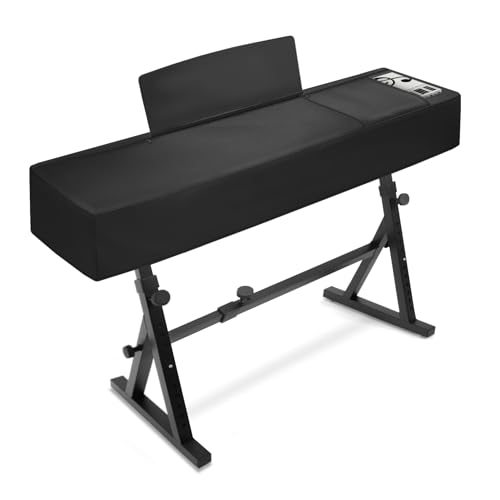
【88Keys Piano keyboard Cover Size】 53.5''L x 13.5"W x 8"H, COVER ONLY, WITHOUT PIANO STAND.(NON-STRETCH FABRIC! Please measure the size of your piano before purchasing)
Storing Your Keyboard Properly

Storing your electronic keyboard properly may seem pretty simple, but trust me, a little extra attention can really boost its lifespan and performance! First off, you want to give it a good clean to remove any dust or moisture—these can sneak in and cause problems over time. Once you’ve wiped it down and made sure it’s completely dry, find a cool, dry spot for it to rest. Keep it away from direct sunlight because those extreme temperatures can be tough on electronic components!
Next, consider using a dust cover or a protective case. Think of it like a cozy blanket for your keyboard that keeps dust and dirt away! If you still have the original packaging, that’s even better because it was designed with the right fit in mind for long-term storage. Lastly, make it a habit to check on your keyboard every so often to ensure it’s still in great shape—simple routine checks can save you a lot of hassle later on! Using a waterproof and dustproof case can provide extra protection against environmental damage. So, as you get ready to store your keyboard, just remember: a little care goes a long way in keeping your musical partner happy and healthy!
Recommended Products

【DESIGNED FOR 88-KEY KEYBOARDS】This piano keyboard cover is specially designed for most 88-key digital pianos and keyboards.The elastic bottom provides a snug and secure fit,helping keep your instrument fully covered and protected when not in use.

WHILE OTHER KEYBOARD COVERS are too flimsy, have the strong chemical smell of cheap vinyl, are ugly or don't protect against moisture, these covers are manufactured from an advanced silky-smooth antistatic copolymer that is pliable, good looking and moisture resistant. This means your expensive keyboards can stay dust, moisture and static free while LOOKING GOOD AND LASTING LONGER.

【Wide Range of Application】Piano keyboard cover measures 37 L x 13.5 W x 6 H inches, fits for most brand 61 key digital piano nicely, such as Casio, Yamaha, Rock Jam, Alesis, Williams. COVER ONLY, WITHOUT PIANO STAND
Scheduling Professional Maintenance
Hey! So, once you’ve made sure your electronic keyboard is safely stored, it’s time to think about keeping it in tip-top shape with some professional maintenance. Seriously, scheduling that maintenance at least once a year can really help keep everything running smoothly. It’s like a check-up for your keyboard, catching any potential issues before they turn into bigger problems.
You know, technicians can spot things that we might not notice, like wear on the keys or issues with the internal components. For example, they can fine-tune key responsiveness, making your playing feel a lot better and allowing the music to just flow naturally. Imagine the difference in performance when everything’s adjusted perfectly!
And it’s a good idea to keep a little log of when maintenance was done. This way, you’ll have a good record for future repairs and can save some money down the line. Plus, you’ll want to stay on top of things, especially considering the delicate electronics involved. Maintaining your keyboard not only ensures a longer life but also keeps your playing experience enjoyable! What do you think—ready to book that maintenance? Regular professional tune-ups also help maintain the build quality and material integrity of key components for optimal durability.
Recommended Products

[Low Noise High Fidelity] New bee guitar cord with 22AWG oxygen-free-copper center conductors provides enhanced signal transfer, the PVC insulation material and the high-density stranded copper double shield provide noise rejection for quiet operation


Monitoring and Updating Software
Hey, have you ever thought about how important it is to keep your electronic keyboard’s software updated? Regular updates from the manufacturer can really make a difference in how your keyboard performs and lasts over time. They often fix bugs, improve how everything runs, and can even add new features that you might love. Why not take advantage of those improvements?
Setting reminders to check for software updates can truly help; you don’t want your keyboard to end up feeling stuck in the past. If you’re using any companion apps, those need updates too. It’s crucial, especially when your computer updates its operating system, as an out-of-date app might not work well anymore.
Staying up to date can save you from frustrating connectivity issues, too. Imagine trying to perform live and your keyboard just acts up! By making a habit of checking for updates—like once a month—you ensure that everything runs smoothly, and you can focus on making great music. So, just a little routine maintenance can keep your keyboard in tip-top shape and ready to rock whenever you are! Speaking of keeping things running smoothly, it’s also important to check your MIDI cable compatibility regularly to prevent any connectivity problems during use.
Recommended Products

🎮𝐀𝐥𝐥-𝐢𝐧-𝐎𝐧𝐞 𝐆𝐚𝐦𝐢𝐧𝐠 & 𝐎𝐟𝐟𝐢𝐜𝐞 𝐂𝐨𝐦𝐛𝐨 - 𝐔𝐧𝐛𝐞𝐚𝐭𝐚𝐛𝐥𝐞 𝐕𝐚𝐥𝐮𝐞: Experience premium features without the premium price. This complete wired set includes a full-size RGB backlit keyboard AND a high-precision gaming mouse, offering everything you need for gaming, work, or study. Perfect for first-time gamers, students, and budget-conscious users seeking a durable and responsive upgrade from basic peripherals.

Solid & Durable Quality: GunMjo custom coiled keyboard cable enhanced with double-sleeved custom coiled keyboard cable, using high-quality copper wire with aluminum shielding foil
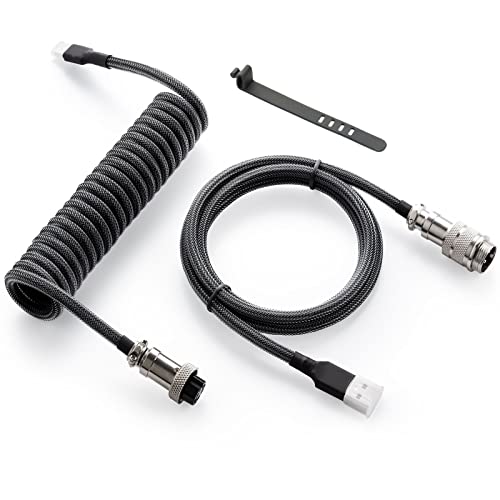
Solid & Durable Quality: GunMjo custom coiled keyboard cable enhanced with double-sleeved custom coiled keyboard cable, using high-quality copper wire with aluminum shielding foil
Frequently Asked Questions
How to Make Your Keyboard Last Longer?
Q: How can I care for my keyboard to make it last longer?
A: Meticulous keyboard care involves cleaning regularly and keeping it away from food and beverages. A practical tip is to use a microfiber cloth for cleaning to avoid scratches.
Q: Why is humidity control important for keyboards?
A: Proper humidity control prevents moisture damage, which can lead to rust and malfunction. Use a dehumidifier if you live in a humid area, or silica gel packs to absorb excess moisture.
Q: How can I protect my keyboard from dust?
A: Solid dust protection can be achieved by using a keyboard cover or by keeping your keyboard in a dust-free environment. A caveat is to ensure the cover is clean to avoid trapping dirt underneath.
Q: What does regular tuning involve?
A: Regular tuning includes checking the keys for responsiveness and ensuring there are no stuck keys or debris. Consider using compressed air to blow out dust between keys, but be cautious not to damage the internal components.
Q: How can I prevent moisture damage to my keyboard?
A: Guarantee moisture prevention by avoiding spills and keeping drinks away from your keyboard. A practical tip is to use coasters if you must keep drinks nearby.
Q: What role does temperature regulation play in keyboard longevity?
A: Regulating temperature helps prevent warping or damage due to extreme heat or cold. Avoid placing your keyboard near heating vents or direct sunlight to prevent overheating.
Q: When should I consider part replacement for my keyboard?
A: Consider part replacement when keys become unresponsive or if you notice performance degradation despite regular maintenance. However, weigh the cost of replacement parts against the cost of a new keyboard before deciding.
How Long Does a Digital Keyboard Last?
Q: How long does a digital keyboard last?
A: A digital keyboard usually lasts between 10 to 20 years. Its lifespan can be affected by the durability of internal components, environmental conditions, the quality of materials, and how frequently it’s used.
*Tip: Regularly clean and maintain your keyboard to extend its life.*
Q: What factors influence a digital keyboard’s longevity?
A: Key factors include the durability of internal parts, the quality of materials, and even climate conditions. Usage habits, battery life, and the frequency of software updates also play crucial roles.
*Caveat: Using your keyboard in consistently harsh environments can significantly reduce its lifespan.*
Do Keyboards Need Maintenance?
Q: Do keyboards need maintenance?
A: Yes, keyboards require maintenance to ensure optimal performance. Regular cleaning and humidity control are crucial in preventing dust buildup and enhancing key sensitivity.
Tip: Consider using compressed air to remove dust from between the keys.
Q: What are essential cleaning tips for keyboards?
A: It’s important to clean your keyboard regularly by removing debris and dirt. You can use a microfiber cloth and a gentle cleaning solution to wipe down the surface and disinfect the keys.
Caveat: Avoid using excessive moisture, as it can damage the electronic components.
Q: How does humidity control affect keyboards?
A: Maintaining appropriate humidity levels helps prevent damage from dust and ensures key sensitivity. High humidity can lead to moisture accumulation, while low humidity can cause static buildup.
Tip: Use a dehumidifier or humidity monitor in your workspace to maintain an optimal environment.
Q: Why is power management important for keyboards?
A: Proper power management protects electronic components and extends the lifespan of your keyboard. Regularly checking your keyboard’s power settings can prevent unnecessary battery drain.
Caveat: Be mindful of how long you leave your keyboard on; turning it off when not in use can save power.
Q: Do keyboards require firmware updates?
A: Yes, keeping your keyboard’s firmware updated ensures compatibility with new software and hardware. Updates often provide enhancements and fix bugs that can improve your typing experience.
Tip: Check the manufacturer’s website periodically for firmware updates.
Q: What are ideal storage conditions for keyboards?
A: Store your keyboard in a cool, dry place to prevent moisture damage and dust accumulation. Avoid direct sunlight, which can warp the keys over time.
Caveat: If you’re storing a mechanical keyboard, consider using a protective case to prevent dust and scratches.
Which of the Following Is Essential for Maintaining a Keyboard?
Q: What cleaning techniques are essential for maintaining a keyboard?
A: Regularly dust and wipe down the keyboard with a microfiber cloth to prevent dirt buildup. Use compressed air to blow out debris from between the keys. Tip: Avoid using harsh chemicals; a mixture of mild soap and water works well for deeper cleans.
Q: How can I prevent dust from accumulating on my keyboard?
A: Investing in a dust cover can significantly reduce dust exposure when the keyboard is not in use. Additionally, keeping the keyboard in a dedicated, clean space can help. Caveat: Even with a cover, perform regular cleanings to ensure optimal performance.
Q: Why is humidity control important for keyboard maintenance?
A: High humidity can cause damage to the electronic components and lead to corrosion, while low humidity may cause static electricity build-up. Use a dehumidifier or humidifier to maintain optimal indoor humidity levels. Tip: Aim for a humidity level between 40-60% for best results.
Q: How can I protect the keys on my keyboard?
A: Regularly inspect the keys for wear and tear and consider using key protectors or silicone covers to shield them from damage. Be careful not to press too hard, as excessive force can cause key misalignment. Caveat: Ensure the protector is compatible with your keyboard model.
Q: What should I know about sustaining pedal care?
A: Keep the sustain pedal free of dust and debris, regularly checking for functionality and responsiveness. If you notice any performance issues, it may need cleaning or replacing. Practical tip: Store the pedal in a safe location when not in use to prevent damage.
Q: How do I maintain the circuits of my keyboard?
A: Regularly inspect and clean the connections and ports to ensure proper functionality. If you notice any performance issues, consider seeking professional repair if you’re unfamiliar with electronics. Tip: Always power down and unplug the keyboard before performing any maintenance.
Q: How important are software updates for keyboards?
A: Software updates can enhance performance, fix bugs, and introduce new features. Regularly check the manufacturer’s website for any available updates. Caveat: Ensure to read the release notes before applying updates to avoid compatibility issues.
Q: What are some effective tips for transporting a keyboard?
A: Use a padded case or bag to protect the keyboard from physical damage during transport. Additionally, always secure any loose components, such as pedals and connectors, to prevent them from getting lost or damaged. Tip: Consider marking the case with identification tags to avoid misplacing it.
Q: What storage solutions are best for a keyboard?
A: Store the keyboard in a climate-controlled environment, ideally in its case or a dedicated stand to minimize the risk of damage. Ensure it is in a safe location away from direct sunlight or extreme temperatures. Caveat: Avoid stacking heavy objects on top of the keyboard during storage.
Q: When should I explore repair options for my keyboard?
A: If you encounter persistent issues that cleaning and basic maintenance cannot resolve, it might be time to consider professional repair services. Diagnosing complex electronic problems often requires specialized knowledge. Tip: Always weigh the cost of repair versus replacement based on the keyboard’s age and value.


